
How to Check Domain Backlinks Before You Buy (2026)
How do you check a domain's backlinks before buying it? A 20-year investor's free-tool workflow, the toxic-link red flags, and a copy-and-run audit checklist.
 Mark FultonJul 14, 12:00 AM UTC9 min read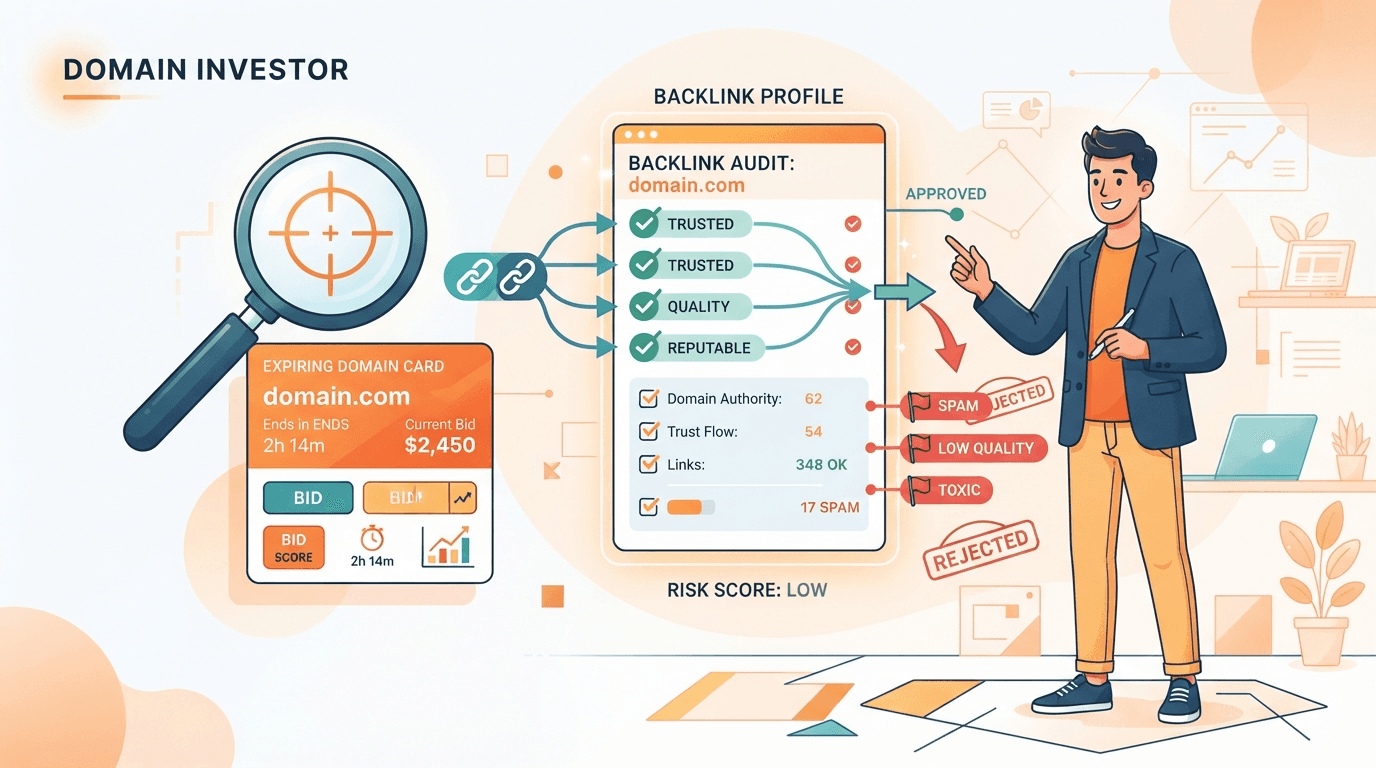
To check a domain’s backlinks before you buy it, run the name through a free backlink checker (Ahrefs, Semrush, or Majestic), read three things — how many referring domains point at it, what the anchor text looks like, and the Trust Flow vs. Citation Flow spread — then cross-check what those links were actually pointing at in the Wayback Machine. You’re not building a full SEO audit. You’re answering one question in about two minutes: is this a clean history, or a penalized past I’d be paying to inherit?
I’ve been buying and flipping domains for over twenty years, and the backlink check is the step beginners skip and veterans never do. Here’s the thing most guides get wrong, though: they’re written for SEO operators who buy an expired domain for its backlinks — the “high-authority domain” play. That’s a real use case, but it’s not mine, and it’s probably not yours if you’re flipping brandable names. For a resale investor, the backlink profile isn’t the prize. It’s a veto: a fast, defensive screen to make sure a name’s past won’t poison its future. This guide covers both angles, but it leads with the one nobody writes about.
Why check backlinks before buying a domain?
An expired domain arrives with a history you didn’t create, and its backlink profile is the paper trail. There are two separate reasons to read it before you spend a dollar:
- The SEO reason (upside). If you’re buying to build or redirect for search equity, genuine links from real, topically relevant sites are the entire value. A domain with clean, relevant links from sites in your niche will out-earn a higher-“authority” domain propped up by junk.
- The resale reason (downside protection). If you’re flipping the name to an end user, a toxic or spammy link history is a liability. It doesn’t show up in the name itself, but it surfaces the moment a buyer runs their own check or tries to rank a site on it — and a “deal” turns into dead inventory.
Either way, the check is the same handful of moves. The difference is only in how high you set the bar: an SEO buyer hunts for a great profile, while a flipper just needs to confirm the profile isn’t poisoned. This is one slice of the larger screen I run on every candidate — see how to find valuable expired domains for the full keeper-vs-junk filter that the backlink audit plugs into.
The free tools that actually get the job done
You do not need a paid subscription to screen a name before an auction. Three free checkers cover everything a buy-or-walk decision needs, and each shows a slightly different slice:
- Ahrefs’ free Backlink Checker — the fastest first look. Enter the domain and you get the top referring domains, a Domain Rating (DR) score, and the most common anchor text without an account. Ahrefs runs one of the largest live link indexes, so its snapshot is a reliable gut check.
- Semrush’s free Backlink Analytics — a second opinion on referring domains, an Authority Score, and follow/nofollow breakdown. Cross-referencing two indexes catches the domain that looks fine on one and thin on the other.
- Majestic’s Trust Flow & Citation Flow — the single most useful quality signal in the whole audit, explained below. Majestic built these two metrics specifically to separate link volume from link trust.
And one tool that isn’t a backlink checker at all but is non-negotiable: the Wayback Machine. A link profile tells you who links to the domain; the Wayback Machine tells you what those links were pointing at. A pile of links to a former online pharmacy reads very differently once you’ve seen the pharmacy.
The three numbers to read (and what they mean)
Backlink tools throw a dashboard of metrics at you. Ignore most of them. For a pre-purchase screen, three signals do the real work:
- Referring domains, not total backlinks. One good site linking to a domain a thousand times is one endorsement, not a thousand. Always weight the count of unique referring domains over the raw link total. A domain with 5,000 backlinks from 12 referring domains is a red flag; 300 links from 180 real, varied domains is a healthy footprint.
- Anchor text distribution. Natural link profiles are messy — a mix of the brand name, the bare URL, and generic phrases like “click here.” When 80%+ of the anchors are thesame exact-match commercial keyword (“cheap car insurance,” “buy backlinks”), that’s engineered, not earned — the fingerprint of a private blog network.
- Trust Flow vs. Citation Flow. Citation Flow scores how much link volume points at a domain; Trust Flow scores the quality of those links (both 0–100, per Majestic). A domain with a respectable Citation Flow and a Trust Flow near zero is telling you the same story as the anchor and referring-domain checks: lots of links, almost none from sources anyone trusts.
How to read Trust Flow vs. Citation Flow
This one metric pair deserves its own beat because it’s the fastest spam detector in the toolkit. There’s no magic threshold, but the ratio is what you watch:
| What you see | What it means | Verdict |
|---|---|---|
| TF close to CF (e.g. TF 22 / CF 28) | Link volume is backed by trustworthy sources | Healthy — dig for the upside |
| TF a bit below CF (e.g. TF 10 / CF 25) | Mixed profile, some junk mixed with real links | Investigate the referring domains |
| TF near zero, CF elevated (e.g. TF 1 / CF 34) | High link count, almost no trusted sources | Spam / PBN signature — walk away |
| Both near zero | Effectively no link history at all | Neutral — judge the name on its own merits |
Notice the last row. For a resale flip, “no backlinks” isn’t a problem — a clean, never-developed brandable is often exactly what you want. The danger isn’t the absence of links. It’s a loud profile full of the wrong ones.
The toxic-link red flags that kill a buy
Google’s own spam policies describe “unnatural links” — links created primarily to manipulate rankings — as a violation, and a domain drowning in them can carry that baggage forward. These are the patterns that make me close the tab:
- Link-farm and PBN footprints. Hundreds of links from low-quality “blog” sites that all look the same and link to everything under the sun.
- Gambling, adult, or pharma links pointing at a domain that was supposedly a small business or blog. That mismatch is the calling card of a hijacked or spammed history.
- Foreign-language directories unrelated to the domain’s real niche — a wall of links from sites in languages the original site never used.
- Over-optimized commercial anchors. The same money keyword repeated across most of the profile (covered above — it’s the loudest single tell).
- A sudden link spike in the growth chart, especially one that then collapses. Spikes signal bought links; the collapse often signals the penalty that followed.
One or two odd links are normal — every old domain accumulates a little junk. You’re looking for a profile dominated by these patterns, not a stray bad link. And remember the veto rule from how to value a domain name: a toxic history is one of the few things that can take a name’s resale value to zero regardless of how good the string is.
The 6-step backlink audit checklist
Here’s the exact screen I run, in order. The whole thing takes about two minutes per name once it’s muscle memory — copy it and run it on every candidate before you set a max bid.
| # | Step | Green flag ✅ | Walk-away ❌ |
|---|---|---|---|
| 1 | Run it through a free backlink checker (Ahrefs/Semrush) | A modest, believable link count | Thousands of links from a dozen domains |
| 2 | Read referring domains, not total links | Many varied, real referring domains | Huge link total, tiny referring-domain count |
| 3 | Scan the anchor text distribution | Brand, URL, and generic anchors mixed | One exact-match money keyword everywhere |
| 4 | Check Trust Flow vs. Citation Flow (Majestic) | TF reasonably close to CF | TF near zero with an elevated CF |
| 5 | Open the domain in the Wayback Machine | Real site, stable single topic, or never developed | Casino/pharma/spam past or a topic that flips |
| 6 | Sanity-check the growth chart for spikes | Gradual, organic-looking growth | A sharp spike then a collapse (penalty pattern) |
Fail steps 3, 4, or 5 badly and it doesn’t matter how the others look — those are the vetoes. Pass all six and you’ve cleared the history check; now the name has to earn its price on its own merits, which is a different job (that’s comps and brandability, not links).
An honest word on the limits
Two things worth being straight about. First, if you’re a dedicated SEO or PBN buyer, this two-minute screen is a starting point, not the finish line — the paid tiers of Ahrefs, Semrush, and Majestic, plus purpose-built expired-domain databases, go far deeper on link-by-link analysis than a free check does, and for that use case they’re worth it. I’m not pretending a free screen replaces them.
Second, a toxic profile is occasionally recoverable — you can disavow bad links — but it’s slow, uncertain, and rarely worth it for a name you’re flipping. For a resale investor, the smart move is almost always to walk and spend the budget on a clean name instead. There are thousands of them dropping every day; you don’t need to rehabilitate this one.
Where the backlink check fits in the hunt
The backlink audit is one veto inside a bigger screen. Before it, you filter for structure — short or brandable, clean .com, no numbers or hyphens. After it, you check the Wayback history and a quick trademark search, then price the survivors against comps and set a disciplined max bid. Where you acquire the name matters too: a straightforward marketplace auction and a drop-catch race are two different paths to the same expiring name, and the backlink check applies to both.
The catch is volume. Thousands of names hit their ending window every day on the Namecheap Marketplace alone, and you can only hand-audit so many before the 11:00 AM ET batch closes. That’s the ceiling I kept hitting, and it’s why I built PounceDomains: it connects to your own Namecheap account through the official Auctions API, applies your structural filters to every ending-soon auction, enriches the survivors with data (including backlink and history signals) and an AI brandability score, and hands you a short list of keepers to bid on — automatically or on your approval. The two-minute audit above stops being a chore you rush at midnight and becomes a filter running around the clock.
The bottom line
Checking a domain’s backlinks before you buy isn’t about chasing authority — for most flips it’s about not inheriting someone else’s penalty. Run the six-step screen, weight referring domains over raw links, let the Trust-Flow-to-Citation-Flow gap flag the spam, and confirm the story in the Wayback Machine. Clear that bar and you can bid on the name’s real merits with a clear conscience. Start sniping free and let the audit run itself across the Namecheap aftermarket.
Frequently asked questions
How do I check a domain's backlinks for free?
Run the name through a free backlink checker before you ever bid. Ahrefs' free Backlink Checker and Semrush's free tool both show you referring domains, total backlinks, anchor text, and a domain authority score without an account, and Majestic's free tier gives you Trust Flow and Citation Flow. Pair whichever checker you use with a look at the domain in the Wayback Machine so you see what actually sat on those links. Free tiers cap how many links you can see, but for a quick buy-or-walk decision on an expiring name that's plenty — you're screening for red flags, not building a full SEO audit.
What is a toxic backlink?
A toxic backlink is an inbound link that hurts more than it helps — the kind Google's own spam policies describe as unnatural links meant to manipulate rankings. In practice, on an expired domain that means links from link farms and private blog networks, gambling, adult, or pharma sites, foreign-language directories unrelated to the domain's real niche, and hundreds of links all carrying the same exact-match commercial anchor text. A handful of odd links is normal for any old domain; a profile dominated by these patterns is a penalized past you don't want to inherit.
Do backlinks matter if I'm buying a domain to flip, not for SEO?
Yes, but as a veto, not as the value driver. If you're buying for resale — a brandable or short .com you'll sell to an end user — the backlink profile isn't what makes the name valuable; brandability, length, and a clean history are. You check backlinks defensively: to make sure you're not paying for a domain with a spammy, penalized past that scares off buyers or gets flagged the moment someone builds on it. For a pure SEO or PBN buyer the calculus flips and backlinks are the whole thesis, but for a flip they're a fast red-flag screen.
What Trust Flow and Citation Flow ratio is safe?
Look at the two numbers together, not in isolation. Citation Flow measures how much link volume points at a domain; Trust Flow measures the quality of those links (both are Majestic's scores, 0–100). A domain with a decent Citation Flow but a Trust Flow near zero is waving a flag: lots of links, almost none from trustworthy sources — the signature of a spam or PBN profile. There's no magic cutoff, but the closer Trust Flow sits to Citation Flow the healthier the profile, and a wide gap (say CF 30+ with TF in the low single digits) is a reason to dig deeper or walk away.
Mark Fulton
Developer & Founder of PounceDomains · 20+ year domain investor
Mark Fulton is a 20+ year domain investor and the developer and founder of PounceDomains. He has spent two decades buying, building, and flipping domain names, and built PounceDomains himself to automate the hunt for undervalued domains on the Namecheap aftermarket.
Keep reading
UDRP Explained for Domain Investors (and How to Avoid One)
What a UDRP complaint is, the three elements a complainant must prove, what bad faith looks like, and the pre-purchase checks that keep an investor clear.
Does Domain Age Matter for SEO? The Honest 2026 Answer
Does domain age matter for SEO? Google says no. What older domains carry (links, history, demand) is what you should price when bidding. A side-by-side example.
Snipe these domains automatically
PounceDomains watches Namecheap Market 24/7, scores every ending-soon domain with AI, and bids on the winners. Free to start.
Start sniping free