
Domain Trademark Check: Screen Before You Buy (2026)
How to run a domain trademark check before you buy a name — a 20-year investor's fast USPTO and WIPO workflow, the risky-name red flags, and a buy-or-walk decision tree.
 Mark FultonJul 18, 12:00 AM UTC8 min read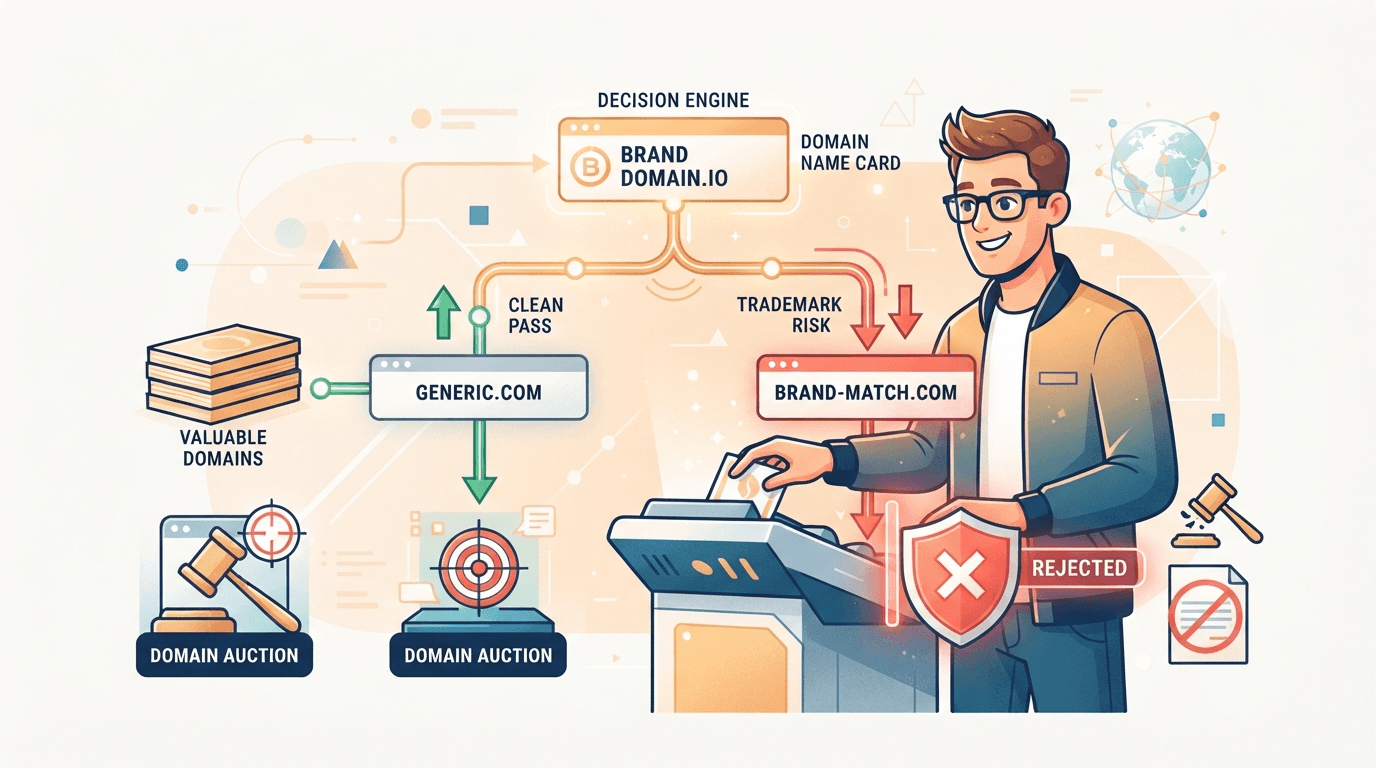
Run a domain trademark check before you bid, not after. Search the domain’s name in the official registries — the USPTO trademark search system for U.S. marks, then WIPO for international ones — searching the string as one word and as separate words, plus plurals, typos, and phonetic near-matches. Then do a plain web search to catch unregistered “common law” brands. Generic dictionary words and invented brandables are almost always safe; exact brand names, typos of famous brands, and brand-plus-keyword combos are the ones that turn a flip into a legal headache. If a name reads like someone’s specific company rather than a generic or coined word, walk.
I’ve been buying and flipping domains for over twenty years, and a trademark conflict is the one flaw that can quietly zero out a name no matter how clean and brandable it looks. A spammy history hurts resale value; a trademark problem can take the domain away from you entirely, after you’ve already paid for it. That asymmetry is why this check is non-negotiable, and why I run it on every name that reads even faintly like an existing brand before I set a max bid.
Most guides on this are written for a founder naming a brand-new company, or they’re dry legal explainers that stop at “search the USPTO.” That’s the easy part. The hard part — the part that actually matters when you’re screening dozens of aftermarket names against a batch close — is the judgment call: is this specific name risky enough to walk away from? This guide is built around that decision, from an investor’s seat.
Why a trademark check matters before you buy
Here’s the mechanism that makes this a flip-killer rather than a minor risk. Domain ownership and trademark rights are two separate legal systems, and the trademark one wins. If you register or win a name that infringes a live mark, the brand owner doesn’t have to buy it back from you — they can take it, through a domain dispute.
The two tools they use are the Uniform Domain-Name Dispute-Resolution Policy (UDRP) — an arbitration process WIPO administers for cybersquatting complaints — and, in the United States, the Anticybersquatting Consumer Protection Act (ACPA). Both are designed to reclaim a domain registered in bad faith to profit from someone else’s brand. The practical consequence for an investor is brutal and simple: you can lose the name and every dollar you spent acquiring it, and you have no product to show for the fees. That’s a total loss, not a haircut.
And the cost isn’t only the losing bid. On the Namecheap Market you also paid a 10% buyer’s premium on top of the winning bid (per Namecheap’s Market documentation) plus the first-year registration. A trademark dispute vaporizes all of it. Five minutes of checking up front is the cheapest insurance in domain investing.
How to check if a domain name is trademarked
The check has two layers: the official registries, then the real-world “is anyone actually using this” pass. Do both — a mark can be enforceable even if it never made it into a database.
- Search the USPTO. The U.S. Patent and Trademark Office runs the primary federal database. Its trademark search system (at tmsearch.uspto.gov, which replaced the old TESS interface) lets you look up a word mark for free. Search the domain’s second-level string — the part before the dot — both as a single word and split into its natural words.
- Search internationally. A U.S.-clean name can still collide abroad. WIPO’s Global Brand Database and the EUIPO database cover international and European Union marks; check them if the name has obvious global or European relevance.
- Search variations, not just the exact string. Trademark law protects against confusion, so a mark that’s similar in appearance, sound, or meaning can be a problem. Check plurals, common misspellings, and phonetic near-matches, and pay attention to the goods-and-services class — the same word can be a protected brand in one industry and free in another.
- Do a plain web search for common-law use. A business that has used a name consistently in commerce can hold enforceable “common law” rights without ever registering. Google the bare name plus its likely industry, check social handles, and read the domain’s own past in the Wayback Machine — the archive is often what reveals that a “generic” name was actually a funded startup’s brand two years ago.
One rule to burn in: an available domain tells you nothing about trademarks. Registrars sell and auction names without checking marks, so a domain being free, cheap, or up for auction is not clearance. The trademark check is its own independent step.
What makes a domain risky vs. safe
Not every name needs a deep dive. After twenty years, most candidates sort quickly onto a risk spectrum, and knowing where a name lands tells you how hard to look:
| Risk level | What it looks like | What to do |
|---|---|---|
| Safe | Generic dictionary words used outside any brand’s industry (“garden.com”); invented brandables with no existing company (“zovix.com”) | Quick sanity search, then bid |
| Caution | A real word that’s also a known brand in one sector; a two-word combo where one word is a company name | Check the class; confirm your use wouldn’t confuse |
| High risk | Brand-plus-keyword (“nikeshoes.com”); a name in a fiercely enforced niche (fashion, pharma, big tech, entertainment) | Assume a dispute is likely — usually walk |
| Do not touch | Exact famous brand; deliberate typos of a brand (“gooogle.com”); anything clearly meant to trade on someone’s mark | Walk, every time — this is textbook cybersquatting |
The pattern is consistent: the further a name sits from “a generic word or a word I made up” and the closer it sits to “someone’s specific brand,” the more it costs you to be wrong.
A buy-or-walk trademark decision tree
This is the exact sequence I run in my head on a candidate. Each step is a yes/no gate; the first “walk” you hit ends the process, no matter how much you like the string.
| Step | Ask | If yes | If no |
|---|---|---|---|
| 1 | Is it a generic dictionary word or a clearly invented, brand-free string? | Low risk → quick sanity search, then jump to step 5 | Keep going — it reads like a name |
| 2 | Does an exact-match registered mark show up in the USPTO/WIPO search? | Is it in a related industry? If so, walk | Good sign — continue |
| 3 | Is it a typo, or a brand-plus-keyword built on a known brand? | Walk — this is the bad-faith pattern disputes target | Continue |
| 4 | Does a web search / Wayback show an active company using this name in commerce? | Common-law risk — walk unless clearly abandoned | Continue |
| 5 | Is the name premium-priced, or will you build a real business on it? | Get a qualified IP attorney to clear it before you commit | Proceed — set your max bid |
Step 5 matters more than beginners think. This article is an investor’s screening routine, not legal advice — for a genuinely valuable name, or one you’re going to pour money into, a real trademark attorney is cheap next to the downside.
When to walk away
The discipline here is the same one that makes the rest of domain investing work: a clear, pre-decided rule you follow even when a name is tempting. My walk-away triggers are simple and I don’t negotiate with them:
- It’s a typo or near-clone of a known brand. No matter how much aftermarket traffic it shows, that traffic is the liability, not the asset.
- An exact registered mark exists in a related class. A generic word that’s trademarked for an unrelated product can be fine; the same word trademarked in your intended industry is a dispute waiting to happen.
- The Wayback Machine shows it was a real, recent company. A lapsed brand can still be an enforceable common-law mark, and the former owner can come back for it. This is where the trademark check and the expired-domain history check overlap — run them together.
- You’re not sure, and the name is expensive. Uncertainty on a cheap generic is fine to accept; uncertainty on a four-figure name is a reason to pay an attorney or pass.
Walking away from a good-looking name stings for about ten seconds. A UDRP complaint on a name you built inventory around stings for months. The math isn’t close.
Where the trademark check fits in the hunt
The trademark check is one veto in a bigger screen, and it lives right next to the history check. Before either, you filter for structure — short or brandable, clean .com, no numbers or hyphens. Then you run the two vetoes: a two-minute Wayback Machine read for a spammy or brand-owning past, and this trademark pass for legal risk. Only the survivors earn a price and a max bid. For the full keeper-versus-junk filter these vetoes sit inside, see how to find valuable expired domains. If you’re also vetting a name’s SEO past, pair it with a backlink check in the same sitting.
The problem is always volume. Thousands of names hit their ending window every day on the Namecheap aftermarket, closing together in the 11:00 AM ET batch, and you can only hand-screen so many before the gavel falls. That ceiling is why I built PounceDomains: it connects to your own Namecheap account through the official Auctions API, applies your structural filters to every ending-soon auction, and scores and enriches the survivors with AI — so the handful of names that actually deserve a trademark-and-history look reach you, instead of drowning in the flood. The software surfaces the candidates; the walk-away call stays yours. For how the auctions themselves work, read Namecheap Market auctions explained.
The bottom line
A domain trademark check is five minutes that protects your entire acquisition cost. Search the USPTO and WIPO for the exact string and its near-matches, do a plain web search for common-law brands in active use, and remember that an available domain is never proof a name is clear. Keep it simple with one rule: generic and invented names are almost always safe, and anything that reads like someone’s specific brand gets a hard look or a walk. Run that screen on every candidate and you ’ll never lose a name — and the money behind it — to a dispute you could have seen coming. Start sniping free and let the filter surface the names worth checking.
Frequently asked questions
How do I check if a domain name is trademarked?
Search the official trademark databases before you bid — they're free. Start with the U.S. Patent and Trademark Office's trademark search system (tmsearch.uspto.gov, the tool that replaced the old TESS), then check WIPO's Global Brand Database for international marks and the EUIPO database for European ones. Search the domain's second-level string both as one word and as separate words (for "bluebicycle.com" search "bluebicycle" and "blue bicycle"), and include plurals, common misspellings, and phonetic near-matches, because a mark that only sounds or looks similar can still be a problem. Then go beyond the registries: a quick web search plus a look at the domain's own history in the Wayback Machine catches common-law brands that are in active use but never formally registered. The registries are the start of the check, not the whole thing.
Is it illegal to buy a trademarked domain name?
Owning a domain that happens to match a trademark isn't automatically illegal — trademarks are tied to a specific class of goods or services, so the same word can be a protected brand in one industry and a free generic term in another. What's illegal, or at least losable, is buying a name in bad faith: registering a brand, a typo of a brand, or a confusingly similar name to profit from, resell to, or divert traffic from the trademark owner. That's cybersquatting, and it's exactly what the UDRP arbitration process and the U.S. ACPA law exist to punish. A mark holder can force the transfer of the domain regardless of what you paid at auction — so the risk isn't a fine, it's losing the name and your acquisition cost with nothing to show for it.
Does an available domain mean the name isn't trademarked?
No, and assuming so is one of the most expensive mistakes a new investor makes. Domain registration and trademark rights are two completely separate systems: a registrar will happily sell or auction you a name that collides head-on with a famous brand, because the registrar isn't checking trademarks — that's on you. Availability tells you only that no one currently holds the registration, nothing about who holds the rights to the name. Always run the trademark check as its own step, independent of whether the domain is free, cheap, or up for auction.
What kinds of domains are safe from trademark trouble?
Generic dictionary words used outside any brand's industry are the safest — "desk.com" or "garden.com" describe a whole category, so no single company can lock them up. Short, coined brandable strings that don't match an existing company (a made-up word like "zovix") are also low-risk, because there's no mark to conflict with. The danger zone is the opposite: exact brand names, deliberate typos of famous brands ("gooogle.com"), and names that borrow a well-known mark plus a keyword. Industries that enforce aggressively — fashion, pharma, big tech, entertainment — raise the stakes further. When a name reads like someone's specific brand rather than a generic word or an invented one, slow down and check hard.
Mark Fulton
Developer & Founder of PounceDomains · 20+ year domain investor
Mark Fulton is a 20+ year domain investor and the developer and founder of PounceDomains. He has spent two decades buying, building, and flipping domain names, and built PounceDomains himself to automate the hunt for undervalued domains on the Namecheap aftermarket.
Keep reading
UDRP Explained for Domain Investors (and How to Avoid One)
What a UDRP complaint is, the three elements a complainant must prove, what bad faith looks like, and the pre-purchase checks that keep an investor clear.
Does Domain Age Matter for SEO? The Honest 2026 Answer
Does domain age matter for SEO? Google says no. What older domains carry (links, history, demand) is what you should price when bidding. A side-by-side example.
Snipe these domains automatically
PounceDomains watches Namecheap Market 24/7, scores every ending-soon domain with AI, and bids on the winners. Free to start.
Start sniping free